Install Antennas
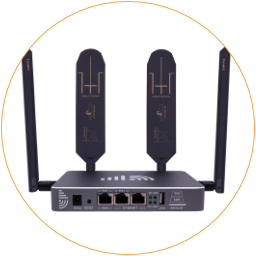
The 4G router uses 2x2 MIMO antennas on both mobile and Wi-Fi connections.
Antenna Sockets
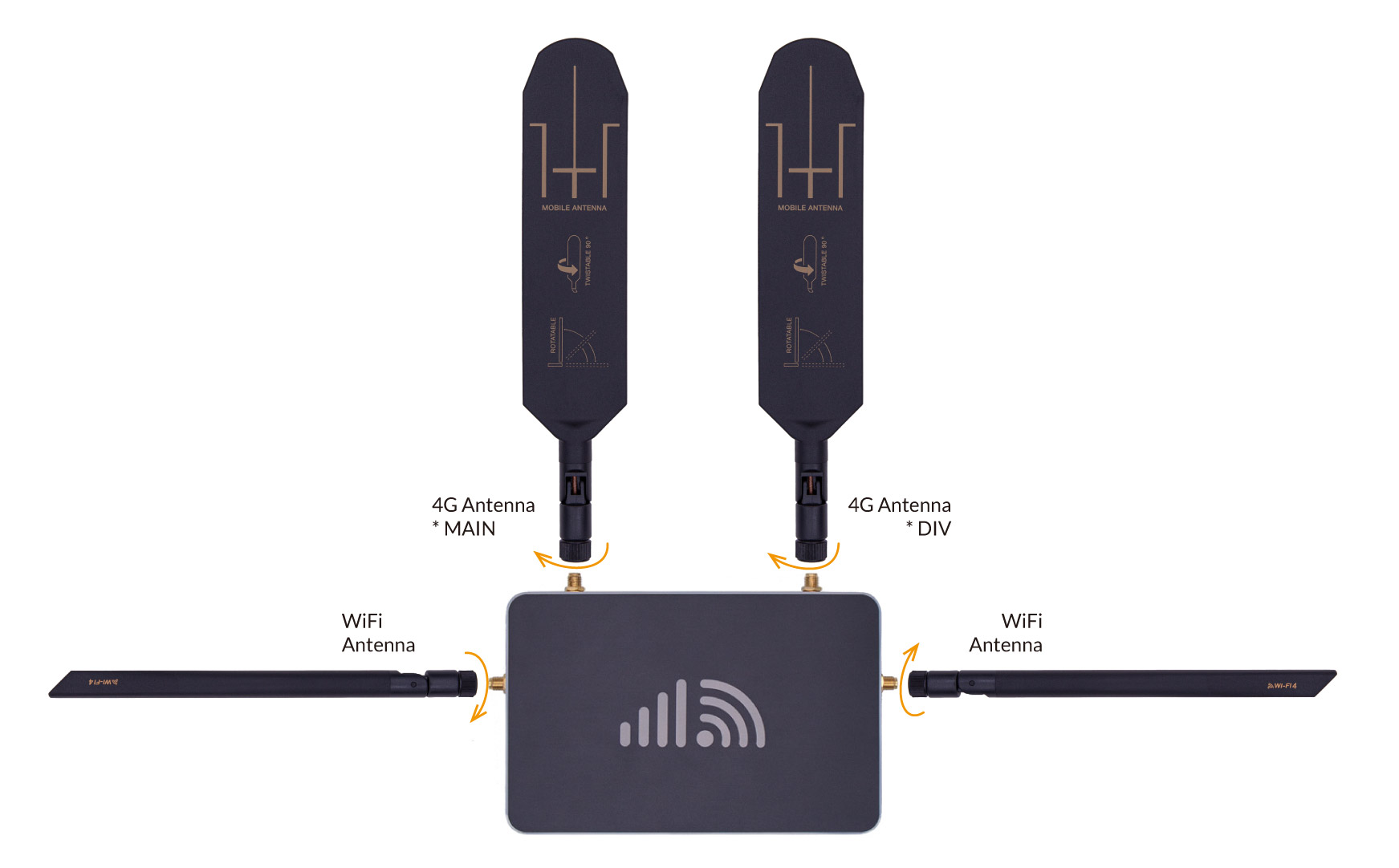
Section titled “Antenna Sockets”Please check the chart and image below about which antenna goes to which socket.
| Antenna Sockets | Antenna Marks |
|---|---|
| Mobile *Main | 4G paddle antenna (Main Port) |
| Mobile *DIV | 4G paddle antenna (Alternative Port) |
| Wi-Fi | Either Wi-Fi whip antenna |
The 4G and Wi-Fi antennas have printed marks on their connectors to indicate which ports they attach to for proper configuration. Be sure to connect the antennas to their correctly labeled antenna sockets on the router, as shown in the below image.
Install Antennas
Section titled “Install Antennas”To install the antennas, twist the antenna connectors clockwise onto the router until securely fastened. Only twist the connectors—do not excessively turn the antenna bodies, as it could damage the antenna pin or internal wiring.
All the antennas have vertical polarization. Ensure all antennas remain upright vertical once installed on the router for the best possible reception and range.
Upgrade Antenna
Section titled “Upgrade Antenna”When you have a weak signal reception, please consider upgrading the 4G mobile antenna with a higher-gain antenna. The MIMO panel antenna can point towards the cell tower and receive stronger 4G signals.
To connect to the other mobile or WiFi antennas, make sure these antennas have the standard SMA-male connectors. You can use both a MIMO and a single-polarized antenna on the router. If it’s a single-polarized antenna, please connect it to the mobile main socket on the left side.